Apple Has an iPhone Notifications Problem

9 hours ago
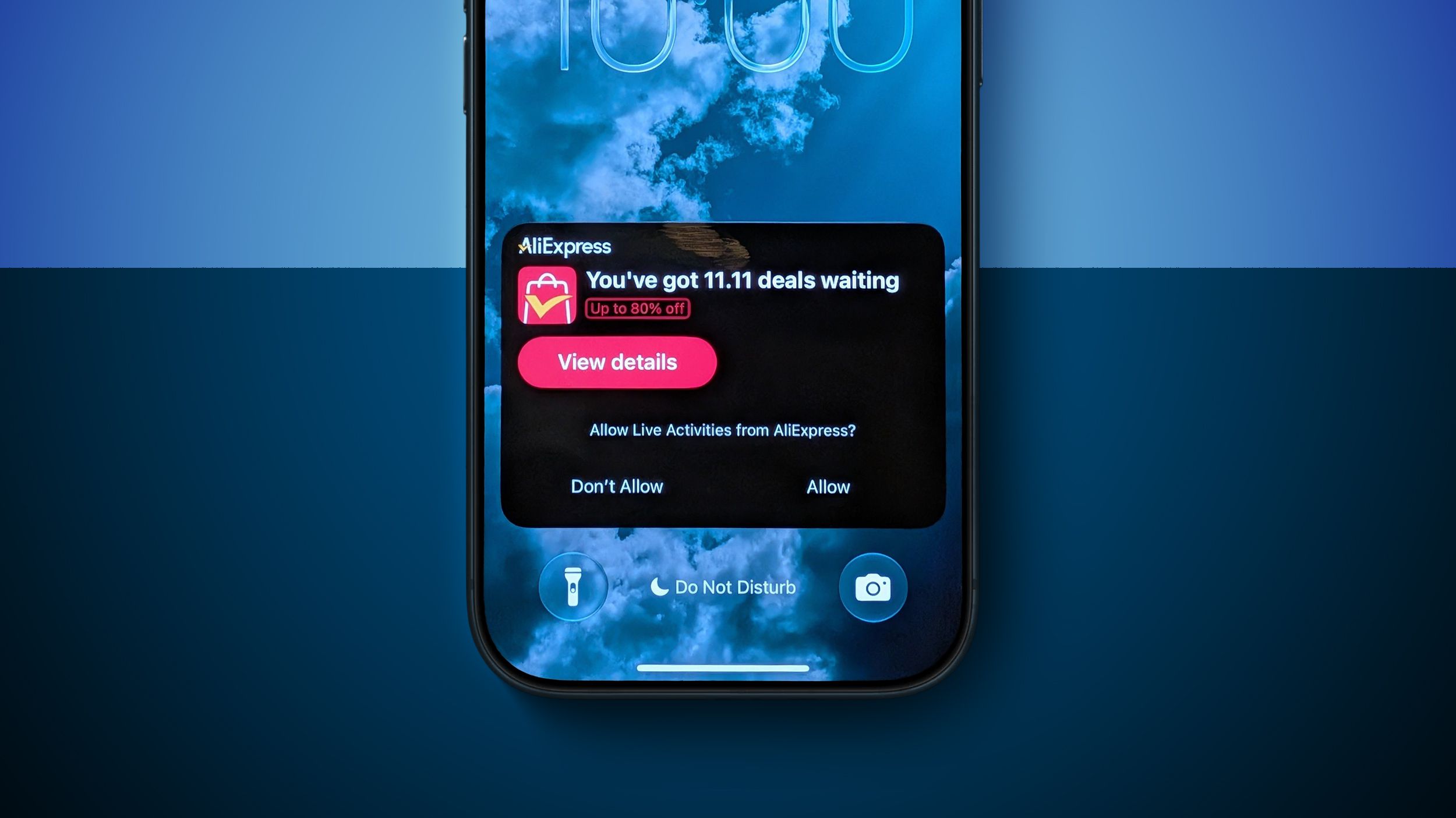
Apple has rules in place that are supposed to protect iPhone users from unwanted advertising in push notifications and Live Activities, but some apps appear to be flouting these rules, and Apple does not appear to be consistently enforcing them.
 Apple's App Store guidelines do allow iPhone apps to send push notifications for promotions or direct marketing purposes, but only if customers have "explicitly opted in to receive them via consent language displayed" in the app, and so long as the app provides a method "for a user to opt out from receiving such messages."
The guideline, in part:
Unfortunately, there are some examples of apps ignoring this guideline.
On my iPhone in Canada, there are several apps that send me push notifications containing promotions without offering a way to opt out of these promotion-specific notifications, such as Cineplex, McDonald's, and Wendy's.
Canadian food delivery app Skip does offer a setting to turn off promotional notifications, but it has continued to send them to me long after I opted out.
A few MacRumors readers informed us that after they turned off DoorDash notifications for offers specifically and then place a delivery order, the app will prompt users to re-enable notifications so they "never miss an order update," even though they still have notifications enabled for order updates. The wording of this prompt can trick users into thinking that they might not receive order updates, but tapping the button re-enables offers.
A few more readers pointed out that the AliExpress app has been advertising in Live Activities, despite Apple's app design guidelines saying "don't use a Live Activity to display ads or promotions" under "best practices." Apple's App Store guidelines say apps should not send users "unsolicited messages" via Live Activities.
If you know of other offending apps, let us know in the comments section. There are more.
Apple recently sent out its own App Store notification advertising a Paramount+ subscription deal, but the App Store does offer an option to opt out. Open the App Store, tap on your profile picture in the top-right corner, tap on Notifications, and turn off Recommendations & Offers. However, it is not clear if Apple obtained explicit consent from users as its App Store guidelines require. Of course, the App Store is a preinstalled app, so it technically does not have to follow the rules that Apple sets for third-party App Store apps.
All in all, it appears that Apple needs to do more to crack down on apps that are violating its rules surrounding advertising in push notifications and Live Activities.
...


Read the fullstory
It's better on the More. News app
✅ It’s fast
✅ It’s easy to use
✅ It’s free