PSA: iOS 26.2 Turns on Automatic Software Updates for Some Users
1 day ago
After installing iOS 26.2, if you're just tapping through screens, you could miss the update turning on automatic software updates.
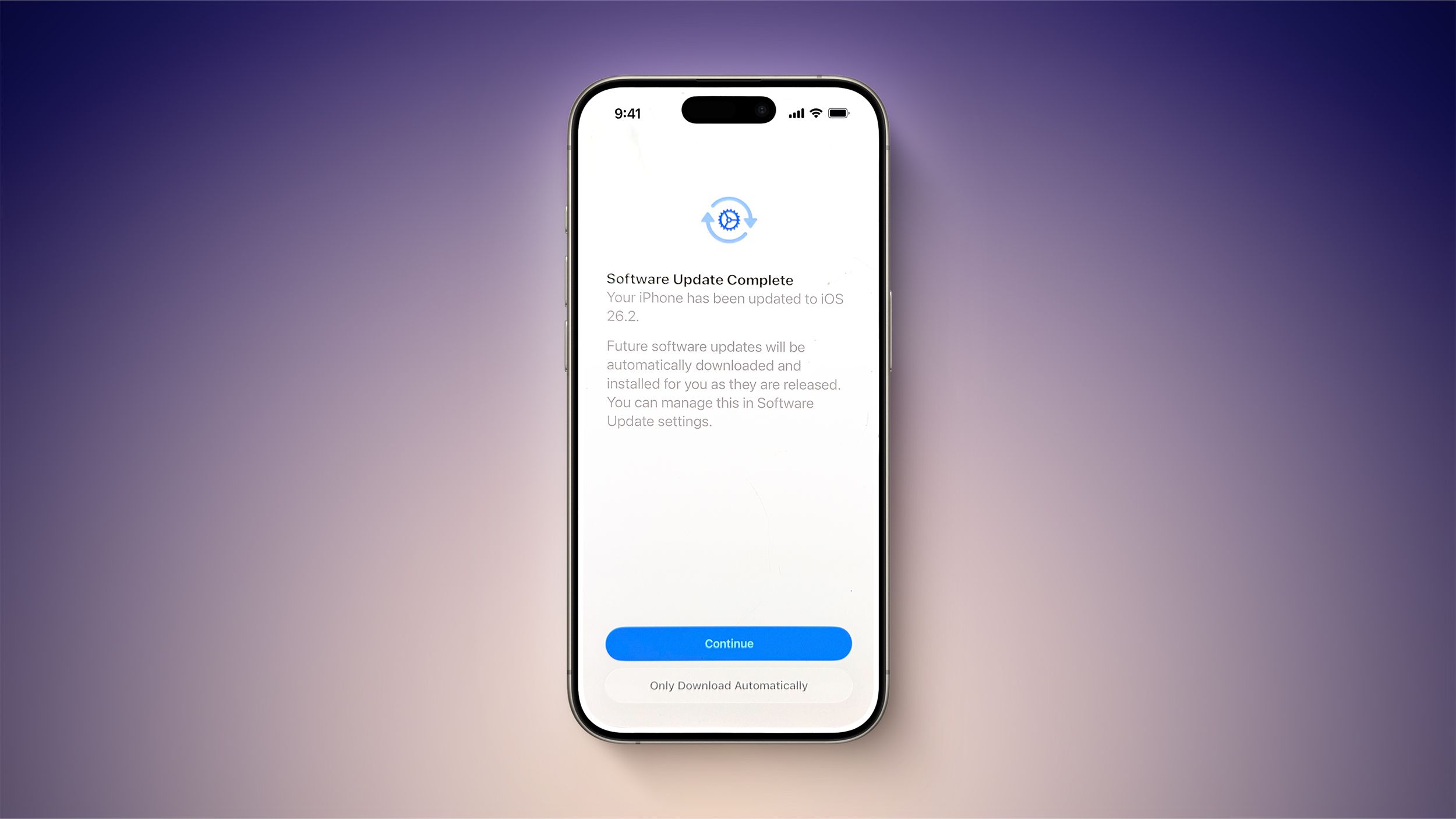
 At the "Software Update Complete" stage where you normally tap on continue to get to the Home Screen, there might be an extra little bit of information. Some users are seeing a warning that future updates will be automatically downloaded and installed, with the option toggled on automatically if the Continue button is tapped. There's a subtle "Only Download Automatically" option that does not opt you into automatic updates if you're paying attention, but it's easy to miss.
You won't see iOS 26.2 turn on automatic software updates if you already have them on, and it doesn't even seem to be showing up for all users that have automatic update installation turned off. You might want to double check your settings just in case, and even if iOS 26.2 didn't turn on automatic software updates, it's worth knowing about the possibility because it's an option that Apple can sneak into any update. If you've ever had an update mysteriously install on your device when you didn't manually do it, it's probably because automatic software updates was quietly turned back on.
If you did install iOS 26.2 and accidentally turned on automatic updates, you can undo it by going to General > Software Update > Automatic Updates and toggling the option off. From there, you can choose to allow updates to automatically download, and toggle off the automatic installation of system files.
...


Read the fullstory
It's better on the More. News app
✅ It’s fast
✅ It’s easy to use
✅ It’s free