We Took the Samsung Galaxy S25 Ultra for a Festive Night Shoot: Here’s What We Learnt

9 小时前
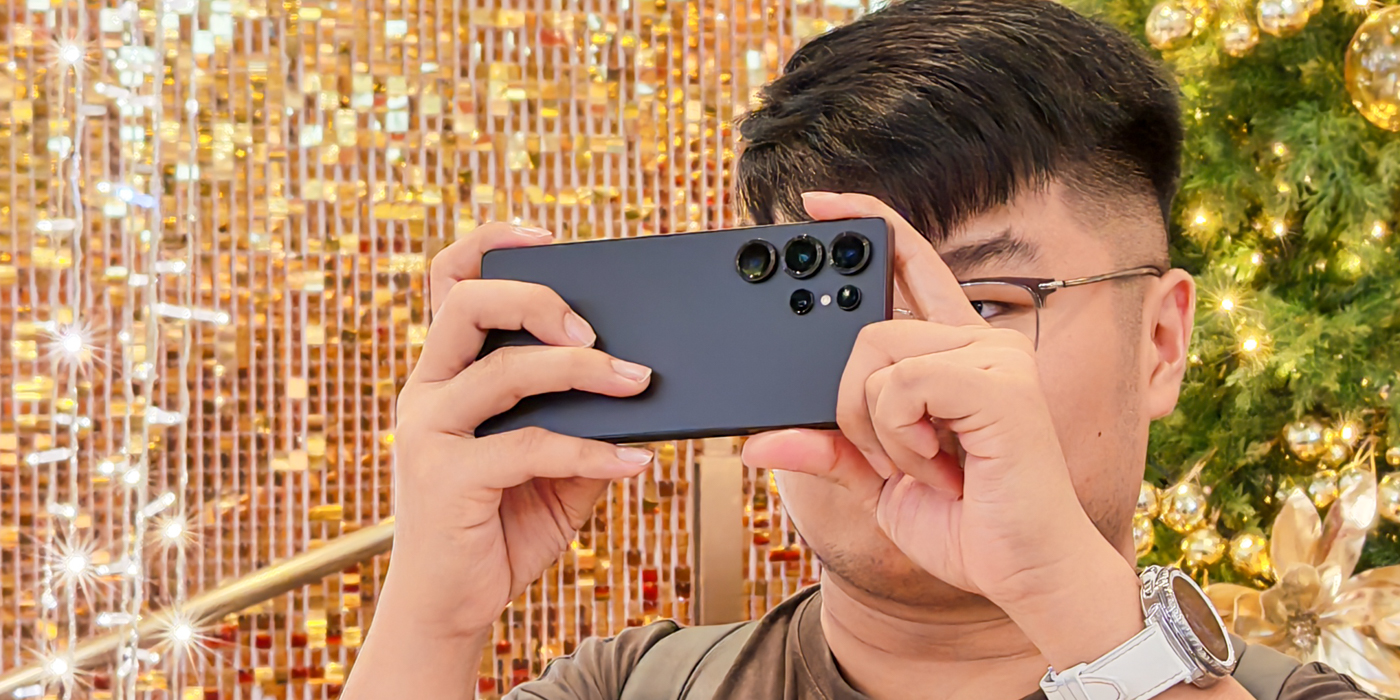
This post is brought to you by Samsung.
With Christmas around the corner, the Klang Valley is slowly getting dressed up — trees, lights, and giant ornaments are popping up in almost every mall. It’s the perfect excuse to head out and take some photos, and for this trip, we brought along the Galaxy S25 Ultra to see how it handles a night around Bukit Bintang.
200MP Keeps Details Sharp, AlwaysWe wandered around the area after dark, and the Galaxy S25 Ultra held up really well. Bukit Bintang is busy, colourful, and full of moving lights — a fun place to test what a camera can and can’t handle.
The 200MP main camera came in handy when we wanted to crop into something interesting without getting too close. But honestly, for most casual shots, the 12MP mode was more than enough. It still kept the highlights, shadows, and colours in check, which made “point, shoot, and post” pretty effortless.
DSLR-like Bokeh Shots with Portrait ModeFor OOTDs or shots with a bit more depth, Portrait Mode does its thing without much tweaking needed. Tap to focus, frame your shot, and you’re done. The background blur looks natural enough for social media, and the subject stays sharp.
Take the Wheel with Pro Mode & Expert RAWIf you enjoy experimenting, Pro mode and the Expert RAW app give you more control. Adjusting shutter speed, ISO, or exposure is straightforward, and slowing the shutter let us capture a pretty cool portrait of Duke with cars streaking behind him — something we’d normally rely on a proper camera for.
Expert RAW also supports 16-bit RAW, which gives you more room to edit later if you’re the type who likes tweaking colours and exposure. On top of that, there are handy tools like zebra stripes to check exposure and focus peaking to make sure your subject stays sharp.
Removing Unwanted Objects Effortlessly with Galaxy AIWe’ve all been there — someone photobombs your perfect shot at the worst moment. With Galaxy AI’s Object Eraser, it’s no problem. Just tap the Galaxy AI icon, circle the person or object you want gone, tap Generate, and let the app do the work — no need to reshoot.
Final ThoughtsAll in all, the Galaxy S25 Ultra handled our night out comfortably. Whether we were snapping quick shots for Instagram or playing around with long exposures, it kept up without much fuss — which is really what you want when you’re just out enjoying the evening.
For more info on the Samsung Galaxy S25 Series, check out Samsung Malaysia’s official website.
...


Read the fullstory
It's better on the More. News app
✅ It’s fast
✅ It’s easy to use
✅ It’s free